
Accelerus for Administrators

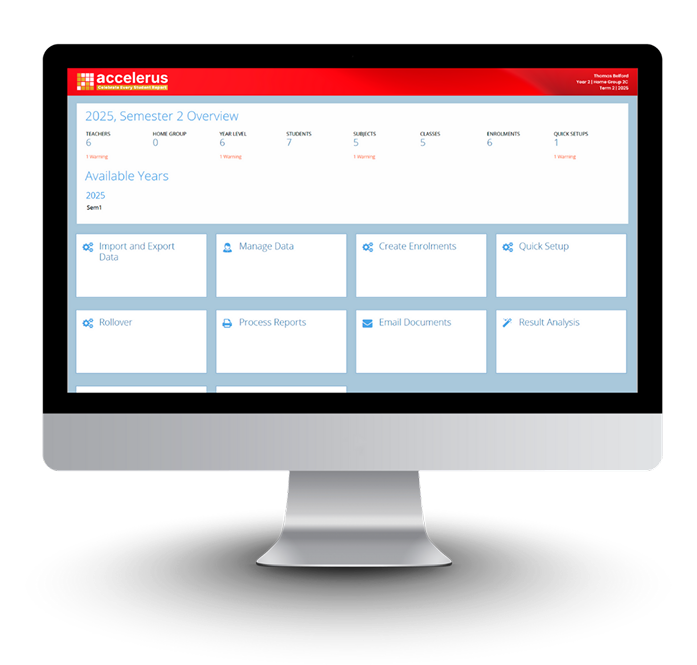
Managing school data doesn’t have to be complex. Accelerus gives administrators full control over assessment setup, reporting, and data analysis — all through an intuitive, time-saving platform. From defining assessments to generating branded reports, everything is built to simplify your school’s workflow while maintaining accuracy and flexibility.
How will you benefit?



Easy to use graphical user interface
Easy to use and intuitive, with flexibility in setting up and defining your student assessment and reporting needs.

Flexible teacher access
Teachers can enter assessment results through a web interface, directly to the assessment and reporting database.

Customisable Security
School configurable security ensures teachers only see what is relevant to their interactions with students.

Quick Setup
Saves hours of work – the Quick Setup process is used to automate the set up of assessment and reporting requirements.

Assessment Items
Assessment items, created for each subject, are used to define what is to be assessed and how it is to be assessed. Any number of assessment items can be created individually or in bulk.

Student Custom Properties
Fields, in addition to basic student details such as names, gender, etc, can be created to store additional information about a student. These Student Custom Property fields can be used for search, print and analysis purposes.

Report Proofing
Helps eliminate mistakes – the software contains a spelling and punctuation checker which can be run by individual teachers, subject coordinators or by administrators prior to printing.

Compilation of Student Reports
A report in Accelerus is created by combining individual templates from each of the subjects in which a student is enrolled, into a single document.